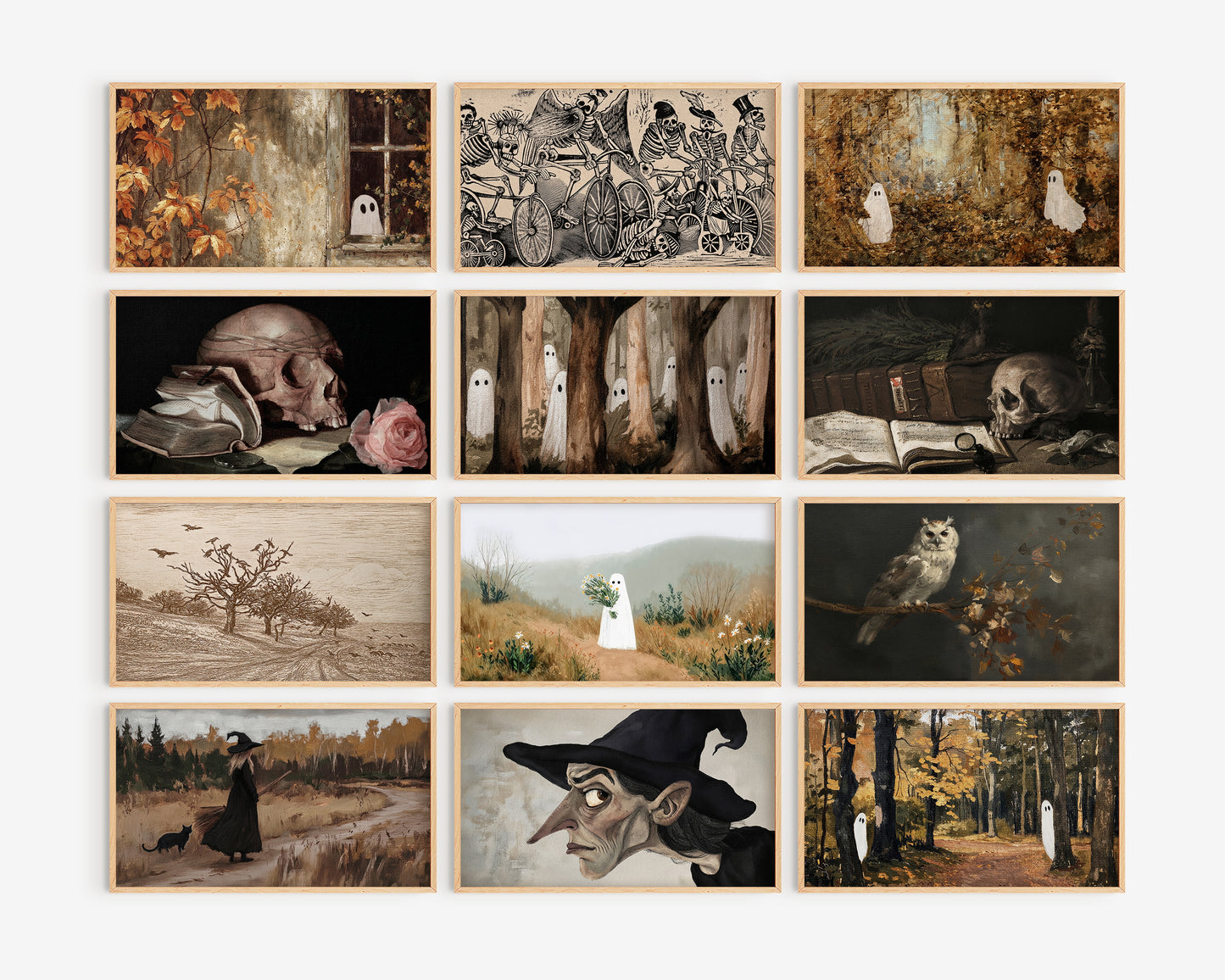
Halloween Frame TV Art Bundle, set of 72 spooky screensavers, Ghosts, witchy tv artwork, skeletons
Halloween Frame TV Art Bundle, set of 72 spooky screensavers, Ghosts, witchy tv artwork, skeletons
Couldn't load pickup availability
72 art for your Samsung Frame TV, The artworks files are available for immediate download from a google dive link, and comes in a high-resolution JPG format with a size of 3840x2160 pixels, which is perfect for any 16:9 ratio displays.
Please keep in mind that this digital file is for screen use and cannot be printed physically.
The colors displayed may vary depending on your TV's color settings and screen display
::::::::::::::::::::::::::
❥ ❥HOW IT WORKS:
-Available as digital downlaod only
-As soon as the payment is processed - you can find your google drive link
::::::::::::::::::::::::::
Notes:
* This is a downloadable instant file, no physical print will be shipped.
* For Personal Use Only.
_____________________
Thank you so much for visiting,
WHAT'S INCLUDED
WHAT'S INCLUDED
One high-resolution JPEG file at 3840 x 2160 pixels — sized perfectly for Samsung The Frame TV in Art Mode. Also works beautifully on any 4K television or as a desktop wallpaper.
Your screen must support 4K resolution (3840 x 2160 pixels).
HOW TO INSTALL ON YOUR FRAME TV
HOW TO INSTALL ON YOUR FRAME TV
Once your order is complete you'll get instant access to your file on screen and a download link straight to your inbox.
The SmartThings Method — Recommended
Step 1 — Save to your phone
Download your file and save it to your Photos app. Create a dedicated album called "Frame TV" to keep things organized — SmartThings will find it faster.
Step 2 — Connect and upload
Turn on your Frame TV and make sure it's on the same WiFi network as your phone. Open the SmartThings app (free on the App Store and Google Play).
Inside the app: tap your TV → Art Mode → My Photos → select your Frame TV album → choose your art → select No Mat for a full screen look → tap Set On Frame.
Head into Art Mode settings (three dots, top right) to adjust brightness and color tone until it feels just right for your space.
The USB Method — Alternative
Prefer a cord? Download your file to a USB drive, plug it into the back of your Frame TV and adjust the display through your remote settings.
💡 Pro tip: Take a few minutes to tweak both the in-app settings and your TV display settings. That combination is what makes Frame TV art look like a real piece hanging on your wall — not a screensaver.
TERMS OF USE
TERMS OF USE
Your purchase grants you a personal license to enjoy this art in your home or office. All files remain the intellectual property of © Lady Hana Design.
✅ Display on your Samsung Frame TV at home or in your office
✅ Print for personal enjoyment in your own space
✅ Share a link to this shop so others can purchase
❌ Share, send or distribute the files in any form
❌ Use for any commercial purpose or product
❌ Post or publish the files on social media or any website
❌ Sell, redistribute or sublicense the design in any format
❌ Alter the design for commercial use
❌ Claim the artwork as your own
Share